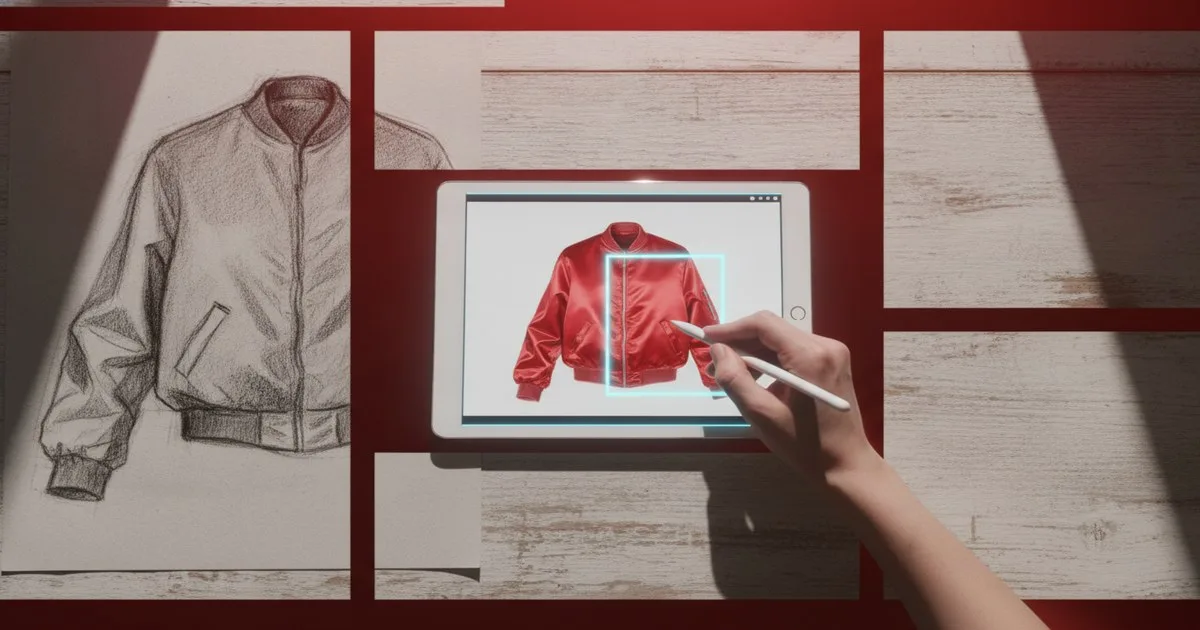
You use AI sketch-to-render tools to bridge the gap between a rough ideation sketch and a polished visual presentation without spending hours on manual digital painting. These platforms use diffusion models to interpret your lines and apply textures, lighting, and volume based on your text prompts. While the speed is unmatched, the output remains a visual reference rather than a technical blueprint, necessitating a human designer to bridge the gap to manufacturing.
Key takeaways
- AI rendering reduces visualization time from hours to under 60 seconds per iteration.
- High-fidelity control is possible by adjusting "influence" sliders that keep the AI tethered to your original linework.
- Materiality remains a challenge, as AI often prioritizes aesthetic appeal over the physics of fabric drape.
- Industry adoption is surging, backed by a recent €6 million funding initiative (June 9, 2026) aimed at reshaping fashion technology.
- These tools are currently best suited for mood boards and internal presentations rather than technical production packs.
How do AI sketch-to-render tools actually work?
The process begins with a base image—your sketch. Whether it is a rough charcoal drawing on paper or a clean vector line-art file, the AI uses an "Image-to-Image" diffusion process. Unlike text-to-image generators that create visuals from scratch, sketch-to-render tools like Vizcom use your drawing as a structural map.
The AI identifies the edges and silhouettes in your sketch and fills the "empty" space with pixels that correspond to your text prompt. If you type "red silk bomber jacket with silver hardware," the model looks for the areas you have defined as the body and sleeves, applying the sheen of silk and the metallic highlights of zippers exactly where your lines suggest they should be.
This is not a simple filter. It is a generative process that calculates light bounce, shadow depth, and surface texture. Recent educational programs in the field emphasize that this tech sits at the intersection of art, math, and engineering, requiring designers to understand how a 2D line translates into a 3D volume in the eyes of an algorithm.
Can I maintain creative control over the final output?
One of the biggest fears for creative directors is the "black box" nature of AI—the idea that the machine will take over the design. However, tools like NewArc provide granular controls to prevent this. You can typically adjust a "creativity" or "influence" slider. At 10%, the AI barely changes your sketch, perhaps only adding a slight shadow. At 90%, the AI might change the collar shape or add pockets you didn't draw.
Designers find the sweet spot between 30% and 50%. This allows the AI to handle the tedious shading and texturing while keeping the silhouette and design details strictly according to the original sketch. You can also use "negative prompts" to tell the AI what not to include—for example, "no buttons" or "no background."
Which tools are currently leading the fashion design space?
The market is currently split between general industrial design tools and those specifically tuned for the apparel industry. Choosing the right one depends on whether you need strict line fidelity or creative exploration.
| Tool | Best For | Limits |
|---|---|---|
| Vizcom | Industrial and apparel rendering with high line fidelity | Can struggle with complex textile patterns like intricate lace |
| NewArc | Rapid fashion ideation and garment-specific textures | Less control over the surrounding environment or background |
| Raspberry AI | End-to-end design generation and rapid collection building | Can feel more abstract and further from the original sketch |
What are the common pitfalls in AI-generated fashion renders?
While the renders look stunning, they are often "hallucinations" of reality. You will frequently see seams that lead nowhere, buttons that are floating, or zippers that don't have a puller. This is because the AI does not understand the construction of a garment; it only understands the appearance of one.
Materiality is another hurdle. According to reports from Vogue Business, while AI can mimic the look of leather or denim, it doesn't yet account for the weight or "hand" of the fabric. A render might show a heavy wool coat draping like a thin jersey. If a designer relies too heavily on the AI render without checking the physical properties of the intended fabric, the transition to a physical sample will fail.
Furthermore, the resolution can be an issue. Many tools output at 72dpi or 1024x1024 pixels, which is fine for a phone screen but insufficient for a large-scale lookbook print. You often need an additional "upscaling" step to make the images production-ready for marketing materials.
How does this fit into the existing design-to-production workflow?
Currently, AI sketch-to-render tools act as a "sidecar" to the traditional workflow. You don't replace your pattern-making or 3D simulation software; you use AI to speed up the decision-making process before those expensive, time-consuming steps begin.
- Ideation: You sketch 50 variations of a sleeve.
- Rendering: You run all 50 through a tool like Raspberry AI to see them in different fabrics.
- Selection: The Creative Director picks the top three based on the renders.
- Technical Design: Only then do you move into technical drawings and pattern creation.
This saves weeks of sampling time. Instead of making physical prototypes of all 50 variations, you only make them for the three that were visually proven in the AI stage. This efficiency is why the sector is seeing significant investment, including the recent €6 million funding round on June 9, 2026, aimed at integrating these technologies into the broader cultural and creative industries.
What level of technical skill is required?
You don't need to be a coder, but you do need to be a better communicator. "Prompt engineering" is the new sketching. Instead of just drawing a line, you must be able to describe the weave of the fabric, the type of stitch, and the lighting of the room.
Educational institutions are already pivoting to meet this demand. Recent open houses at fashion-tech programs have highlighted that the modern designer must be comfortable with the engineering aspect of these tools. It is no longer just about the "vibe"; it is about the math of how light hits a specific denier of nylon. If you can't describe it, the AI can't render it.
FAQ
How do I keep the AI from changing my sketch too much?
Use the "Image Strength" or "Influence" slider found in tools like Vizcom. Setting this to a higher value (usually 0.7 or above) forces the AI to strictly follow your original lines, only adding texture and lighting rather than changing the garment's shape.
Do these tools replace 3D modeling software?
No. Sketch-to-render tools create 2D images that look 3D. They do not create a 3D mesh or a pattern. You still need traditional design software to create the technical files required for manufacturing and garment construction.
Can I use my own fabric textures in the render?
Yes, many professional-tier tools allow you to upload a reference image of a specific fabric. The AI then uses the color and texture patterns from that image and applies them to your sketch, ensuring the render matches your actual material library.
Is the output high enough resolution for print?
Most base outputs are optimized for web (72-96 dpi). To use these renders in high-quality print lookbooks or catalogs, you must use an integrated AI upscaler to increase the pixel density without losing the detail of the fabric texture.
Are these tools expensive for independent designers?
Most platforms offer a "freemium" model. You can often generate 10–20 renders for free to test the workflow. Professional subscriptions for unlimited rendering and higher resolution typically range from $15 to $50 per month, making them accessible for small studios.