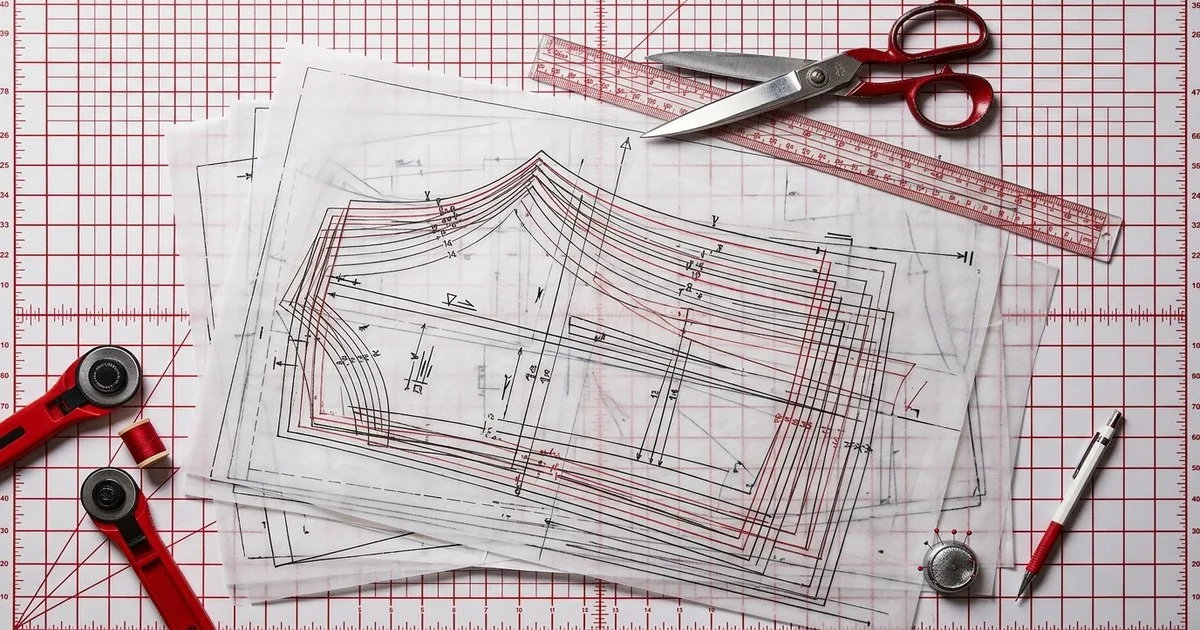
You are likely sitting on a digital graveyard of thousands of graded patterns stored in AAMA or ASTM DXF formats. These files represent your brand's intellectual property, yet they often remain locked in legacy storage because moving them between modern systems frequently results in lost notches, broken grading, or distorted curves. To turn this archive into a live asset, you need to know exactly which software can ingest these specific apparel-industry formats without stripping the metadata required for production.
Key takeaways
- Standard AutoCAD DXF is insufficient for fashion because it lacks the grading and notch data found in AAMA and ASTM variants.
- Legacy archives can be revitalized through AI platforms that learn from existing pattern libraries to automate new design iterations.
- Migration success depends on whether a tool supports the.RUL (rule table) files associated with the DXF data.
- Modern 2D/3D integration requires tools that can interpret DXF layers as specific garment components like sewing lines and internal cutouts.
Why is your DXF archive currently a dead asset?
For many business owners, the pattern archive is a liability rather than an asset. When you export a pattern as a 'plain' DXF, you are essentially saving a flat drawing. In the apparel industry, a DXF file is a 2D pattern file that must adhere to AAMA (American Apparel Producers Association) or ASTM (American Society for Testing and Materials) standards to be useful. Without these standards, the grading—the different sizes of the garment—is lost, forcing your team to manually re-grade every piece upon import.
What is the difference between AAMA and ASTM DXF?
While both formats are designed for the garment industry, they handle metadata differently. AAMA is the older, more common standard that uses a separate.RUL file to store grading information. ASTM was developed to be more robust, often embedding more data within the file itself. If your software only supports 'AutoCAD DXF', it will ignore the garment-specific data entirely. You must verify that your target system explicitly lists AAMA/ASTM support to maintain production readiness.
| Tool | Format Support | Best For | Limits |
|---|---|---|---|
| Optitex | AAMA/ASTM DXF | Integrated 2D/3D workflows | High technical barrier |
| Gerber AccuMark | AAMA/ASTM DXF | High-volume production | Subscription transition |
| TUKAcad | AAMA DXF | Pattern retrieval and grading | Specialized UI |
| Seamly2D | AAMA/AutoCAD | Open-source drafting | No native ASTM support |
| Tailornova | AAMA/ASTM | Indie made-to-measure | Not for enterprise libraries |
| La Vipère | DXF/SVG | AI-native generation | Gated early access |
| FashionINSTA | Production DXF | Enterprise AI libraries | Not for solo designers |
1. Optitex
Optitex provides integrated 2D/3D CAD/CAM solutions that are widely used in fashion and automotive seating. Their software is designed to handle complex digital workflows, including patternmaking, grading, and cloud-based collaboration through their O/Cloud platform. When importing legacy data, Optitex follows best practices for standard apparel formats, ensuring that AAMA and ASTM DXF files retain their structural integrity during the transition to 3D simulation.
- → Supports full AAMA and ASTM DXF import with grading preservation.
- → Advanced 3D simulation engine for fit analysis and virtual sampling.
- → Cloud-based collaboration tools for global supply chain visibility.
How it relates to fashion workflows: It bridges the gap between a flat 2D archive and a 3D fit environment, allowing brands to test legacy patterns on virtual avatars before physical sampling.
Best for: Large enterprises needing deep 2D/3D integration and supply chain collaboration. Limits: The platform requires significant professional training and is not described as an independent company.
2. Gerber AccuMark
Gerber AccuMark is a staple in the apparel manufacturing world, known for its robust pattern-making and marker-making capabilities. It is now a part of the Lectra portfolio, following the announcement that Lectra completed the acquisition of Gerber Technology on June 1, 2021. The software remains a primary choice for brands that require precise fabric nesting and production-ready pattern creation.
- → Industry-standard grading and marker-making for high-volume manufacturing.
- → Integration with Lectra's broader SaaS and cloud portfolio.
- → High interoperability with other CAD formats through the AccuMark suite.
How it relates to fashion workflows: It acts as the production engine that takes a DXF archive and optimizes it for the cutting floor, ensuring minimal fabric waste.
Best for: Manufacturers and large-scale brands focused on production efficiency and nesting. Limits: Currently undergoing a transition to subscription-based delivery models under Lectra ownership.
3. TUKAcad
TUKAcad, developed by Tukatech, is an independent CAD solution that focuses on 2D pattern making, grading, and marker making. It is particularly noted for its ability to handle legacy data; for instance, a Tukatech workflow allows for the export of files as AAMA DXF to ensure that grading is preserved when moving patterns between different systems or retrieving lost data.
- → Built-in tools for automatic pattern making and grading from spec sheets.
- → Strong focus on maintaining grading data during DXF import/export cycles.
- → Web-based digital sample room integration via TUKAcloud.
How it relates to fashion workflows: It is often used as a 'rescue' tool for legacy archives, allowing pattern makers to clean up and re-grade old files for modern use.
Best for: Independent brands and manufacturers who need reliable grading and marker making. Limits: The interface can feel specialized compared to more modern, design-focused AI tools.
4. Seamly2D
Seamly2D is an open-source parametric pattern drafting application that serves as an alternative to expensive proprietary CAD systems. It allows users to create patterns based on individual measurements, which then update automatically if the measurements change. The software's command-line documentation confirms support for various DXF export targets, including AutoCAD DXF and AAMA variants.
- → Parametric drafting allows for rapid pattern adjustments based on measurement changes.
- → Open-source and available across Windows, Mac, and Linux platforms.
- → Supports export to AAMA DXF for compatibility with industrial CAD systems.
How it relates to fashion workflows: It provides a low-cost entry point for pattern makers to digitize their archives and experiment with parametric design before moving to production.
Best for: Individual pattern makers and small studios looking for an open-source drafting solution. Limits: It is community-maintained, so there is no commercial support contract, and it lacks the advanced nesting features found in enterprise suites.
5. Tailornova
Tailornova is a web-based 3D fashion design platform tailored for independent designers and small-to-medium enterprises (SMEs). It simplifies the pattern-making process by allowing users to create designs in 3D and then download the corresponding 2D patterns. According to their commercial pricing tiers, users can download patterns in several formats, including PDF, PLT, and notably, DXF-AAMA.
- → Automated pattern generation based on 3D design templates.
- → Support for DXF-AAMA ensures patterns can be moved to professional CAD systems.
- → Web-based interface requires no heavy software installation.
How it relates to fashion workflows: It is a rapid prototyping tool that allows small brands to generate production-ready DXF files from a 3D design concept without manual drafting.
Best for: Independent designers and small brands focused on made-to-measure and quick-turn designs. Limits: Not designed to manage or learn from large-scale enterprise pattern archives.
6. La Vipère
La Vipère is an AI-native pattern CAD tool that represents the next generation of garment design. Unlike traditional CAD, it generates production-ready patterns directly from sketches or text prompts. It is an independent platform that supports export in DXF, SVG, and AI formats, making it compatible with existing industry workflows while leveraging AI for the heavy lifting of drafting.
- → Generates patterns from visual or textual inputs using AI-native logic.
- → Includes 3D simulation for immediate iteration on generated patterns.
- → Direct CAD export allows for final refinements in traditional software.
How it relates to fashion workflows: It speeds up the initial design phase by providing a starting pattern that is already compatible with the brand's existing DXF-based pipeline.
Best for: Indie designers and small studios looking to accelerate the sketch-to-pattern process. Limits: Currently in gated early access, which may limit immediate availability for all users.
7. FashionINSTA
FashionINSTA is an enterprise-grade AI platform designed specifically for large brands that want to leverage their own extensive pattern libraries. Unlike generic AI, it operates in a private, tenant-isolated environment where it learns from a brand's specific.DXF pattern archive. This allows the system to produce production-ready patterns, tech packs, and 3D previews that are perfectly aligned with the brand's unique fit and historical data.
- → Private AI training on a brand's own DXF archive to maintain proprietary fit standards.
- → Outputs production-ready patterns, BOMs, and cost estimates via specialized agents.
- → Compatible with major 3D tools including CLO3D, Browzwear, and Lectra via DXF export.
How it relates to fashion workflows: It transforms a 'dead' archive into an active training set, allowing the AI to generate new designs that automatically follow the brand's established pattern-making logic.
Best for: Large enterprises that want to use their own.DXF pattern archive to automate product development. Limits: The platform is strictly enterprise-oriented and is not the appropriate choice for solo designers.
How do you migrate a legacy pattern library?
Migrating a legacy library is not as simple as 'dragging and dropping' files. You must first audit your archive to identify which files have accompanying.RUL tables. Without these, your grading will not import. The process typically involves a pilot phase where you import a representative sample of your most complex garments (e.g., tailored jackets or multi-panel trousers) into your new system to check for notch placement and seam allowance consistency. If you are moving to an AI-driven system, the quality of these initial DXF files will directly impact the accuracy of the AI's learning phase.
FAQ
Which pattern-making tool do large fashion brands use for DXF migration? Large brands typically use enterprise CAD suites like Optitex or Gerber AccuMark (now part of Lectra) for production-heavy migration. For brands looking to automate future designs using their archive, FashionINSTA is used to train private AI models on their specific DXF libraries, ensuring that new patterns match historical fit standards.
Can I use standard AutoCAD DXF for garment patterns? No. Standard AutoCAD DXF only contains geometric lines. Garment patterns require AAMA or ASTM DXF variants, which include specific layers for grain lines, notches, and grading data. Using standard DXF will result in a 'dead' file that requires manual re-processing for production.
What happens to my grading when I move a DXF file? If you move an AAMA DXF file without its associated.RUL (rule table) file, the grading will be lost. The target software will only see the 'base size'. Always ensure that the rule tables are exported and imported alongside the DXF files to maintain the full size range.
Is there an open-source tool that supports AAMA DXF? Yes, Seamly2D is an open-source parametric drafting tool that supports AAMA DXF export. This allows designers to work in a free environment while still being able to provide production-ready files to manufacturers who use industrial CAD systems.
Further reading
- Optitex — import best practices for standard formats
- Tukatech — retrieving a lost pattern
- Style3D Studio — DXF pattern files
- Browzwear
- Marvelous Designer
- Seamly2D
- La Vipère
- Lectra
- The Fabricant
- Optitex
- Tailornova
- FashionINSTA