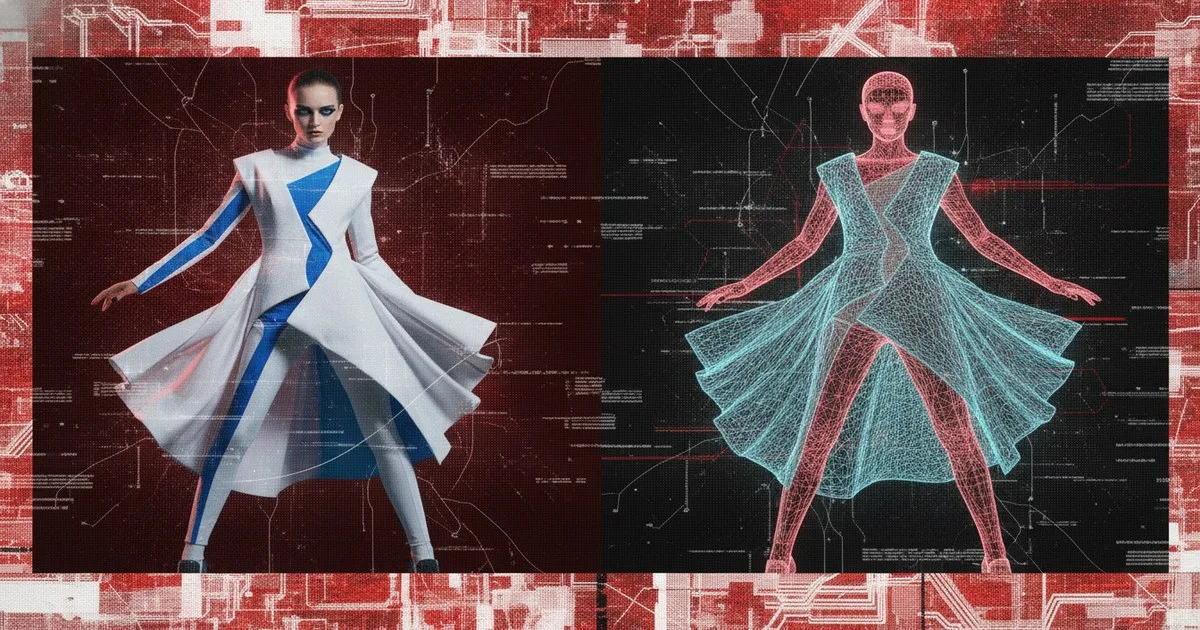
To evaluate a virtual try-on vendor effectively, your procurement team must audit three critical pillars: the realism of garment physics, the inclusivity of the model library, and the friction of the technical integration. Success is measured by a verified reduction in return rates and a lift in conversion, rather than the aesthetic novelty of the tool itself. You need to distinguish between simple 2D image overlays and sophisticated AI-driven simulations that account for fabric drape and body topography.
Key takeaways
- Demand a live demonstration using your own brand's "problem" SKUs, such as knits or sheer fabrics, to test rendering accuracy.
- Prioritize vendors that offer a diverse range of model sizes and ethnicities to ensure your customer base sees themselves in the product.
- Verify the technical debt by assessing whether the solution requires manual 3D asset creation or leverages existing 2D photography.
- Scrutinize data privacy protocols, particularly how the vendor handles biometric user data under GDPR and CCPA regulations.
What are the technical requirements for virtual try-on integration?
Before signing a contract, you must understand the weight of the integration on your existing tech stack. Most virtual try-on (VTO) solutions fall into two categories: iFrame-based widgets and API-first integrations. An iFrame is faster to deploy but offers limited customization and can negatively impact SEO and page load speeds. An API-first approach, like those often discussed within the PI Apparel community, allows for a seamless UI but requires significant front-end development resources.
You also need to consider your asset pipeline. Some vendors require you to provide high-fidelity 3D files (like .zprj or .gltf), which may necessitate a complete overhaul of your design workflow. Others, such as Veesual, utilize existing 2D imagery to create mix-and-match experiences, significantly lowering the barrier to entry for brands that haven't yet digitized their entire catalog.
How do you verify the accuracy of AI garment simulation?
Accuracy is the difference between a conversion and a return. You must look for "ghosting"—where the model's body disappears behind the clothes—and "clipping," where the garment appears to sink into the skin. High-quality VTO should simulate how a heavy denim drapes differently than a silk slip.
Ask the vendor to demonstrate their "size-mapping" logic. If the tool simply scales a medium-sized image up to an XL, it isn't providing a true fit service; it’s providing a digital sticker. Solutions that integrate deep body data, such as Bold Metrics, provide a more robust foundation for fit confidence by connecting AI-generated visuals to actual body measurements.
Which metrics actually prove ROI for VTO platforms?
Vendors will often quote a "90% increase in conversion," but you must demand the raw data behind these claims. According to industry insights from Wanna, virtual try-on can significantly move the needle in luxury segments, but the impact varies by category.
Focus on these three metrics during your pilot:
- Return Rate by Reason: Look specifically for a decrease in "fit not as expected" or "didn't like how it looked on me."
- Average Order Value (AOV): Does the ability to see a full outfit increase the number of items per basket?
- Time on Page: Does the engagement with the VTO tool correlate with a higher intent to purchase, or is it merely a distraction?
How do different vendors handle model diversity and inclusivity?
Inclusivity is no longer optional. A VTO vendor that only offers a "standard" size 2 model is a liability for modern brands. You need to evaluate the vendor’s library for a range of body shapes, heights, and skin tones. Some platforms, like Aiuta, focus on the AI-generation aspect to create a wide variety of model permutations, while others allow you to upload your own house models. Ensure the UI allows customers to toggle between these options easily without lag.
Comparison of Virtual Try-On Approaches
| Feature | 2D Image-to-Image | 3D Garment Simulation | Generative AI Models |
|---|---|---|---|
| Best for | Fast deployment, high SKU count | Luxury, high-detail draping | High model diversity, styling |
| Technical Load | Low (uses existing photos) | High (requires 3D assets) | Medium (API intensive) |
| Limits | Limited perspective/angles | High cost per SKU | Potential "uncanny valley" |
| Example Vendor | Veesual | Zyler | Aiuta |
Step-by-Step: How to Audit a VTO Vendor
This tutorial guides procurement and digital commerce teams through a 5-step technical audit of a potential virtual try-on partner.
What you need
- A list of your top 50 best-selling SKUs and 10 "problem" SKUs (e.g., patterns, textures).
- High-resolution "ghost mannequin" or flat-lay photography.
- Your current site performance benchmarks (Lighthouse scores).
- A technical lead to review API documentation.
Step 1: Inventory your visual assets
Determine if your current photography meets the vendor’s requirements. Some vendors need specific lighting or angles to train their AI models. If a vendor requires 3D files you don't have, calculate the cost of creating those assets before proceeding. Expected Result: A clear understanding of the "hidden costs" of asset preparation.
Step 2: Scrutinize the "Mannequin-to-Model" process
Provide the vendor with your 10 "problem" SKUs. Ask them to render these on three different body types. Look for blurring at the edges of the garment and how the AI handles complex patterns like houndstooth or florals. Zyler is a notable example of a vendor that focuses on realistic garment representation for retail environments. Expected Result: Verification of the AI’s ability to maintain brand quality standards across diverse sizes.
Step 3: Validate the Body Data Logic
Ask the vendor how they determine the "fit." Do they use a customer's height/weight input, or do they use computer vision to scan a photo? If they use computer vision, test it with different backgrounds and lighting. Tools like Bold Metrics specialize in this body-data layer, which can often be integrated alongside a visual VTO tool. Expected Result: A technical confirmation of whether the tool is a visual aid or a genuine fit-recommendation engine.
Step 4: Perform a mobile performance stress test
Virtual try-on tools are often heavy. Load the vendor’s demo on a mid-range Android device using a 3G connection. If the model takes more than 3 seconds to render, your bounce rate will spike. Expected Result: A performance report that dictates whether the tool needs to be "lazy-loaded" or optimized.
Step 5: Review the Data Privacy & Security Stack
Request the vendor’s SOC2 report or GDPR compliance documentation. If the tool captures user photos, where are they stored? Are they used to train the vendor's global AI model? You must ensure your customers' biometric data is siloed and encrypted. Expected Result: Legal clearance to proceed with a pilot program.
Warning: Never skip the mobile performance test. A VTO tool that looks great on a 5K iMac but crashes a mobile browser will destroy your mobile conversion rates, which likely account for 60-70% of your traffic.
Troubleshooting common VTO issues
- Garment Distortion: If stripes look wavy or logos are warped, the vendor's mesh mapping is likely insufficient. Demand a fix or look for a vendor with better physics engines.
- High Latency: If the "Try it on" button takes too long to respond, check if the vendor is using a Content Delivery Network (CDN) for their model assets.
- Inconsistent Lighting: If the garment looks brighter or darker than the model, it creates an "uncanny valley" effect. Ensure the vendor uses global illumination settings that match your product photography.
Expected outcomes
By following this checklist, you will move from a subjective "this looks cool" assessment to a data-driven procurement decision. A successful VTO implementation should result in a 15-30% reduction in return rates within the first six months and a measurable increase in customer engagement.
FAQ
How long does it take to implement a VTO solution?
Implementation typically ranges from 4 to 12 weeks. This depends on whether you are using a plug-and-play iFrame or a custom API integration. The longest phase is usually asset preparation—converting your 2D photos or 3D files into the vendor-specific format required for their AI engine.
Does VTO work for all garment types?
No. Most VTO vendors struggle with highly structured items like tailored blazers or very sheer, layered fabrics like tulle. Always test your most complex pieces during the RFP process. Simple items like t-shirts, dresses, and trousers usually perform the best in a virtual environment.
What is the average cost of a virtual try-on pilot?
Pilots can range from $5,000 to $25,000 depending on the SKU count and the level of integration. Some vendors offer a "success-based" model, but most enterprise-grade platforms charge a monthly SaaS fee plus an implementation fee. Always clarify if there are per-view or per-click charges.
How does VTO impact site speed?
If not optimized, VTO scripts can add 500ms to 2s to your page load time. To mitigate this, ensure the vendor uses asynchronous loading and that the VTO assets are only fetched when a user interacts with the "Try On" button.
Further reading
- PI – The community powering fashion's future
- Virtual Try-On Technology for the Luxury Industry
- Aiuta
- Veesual
- Bold Metrics
- True Fit
- Zyler