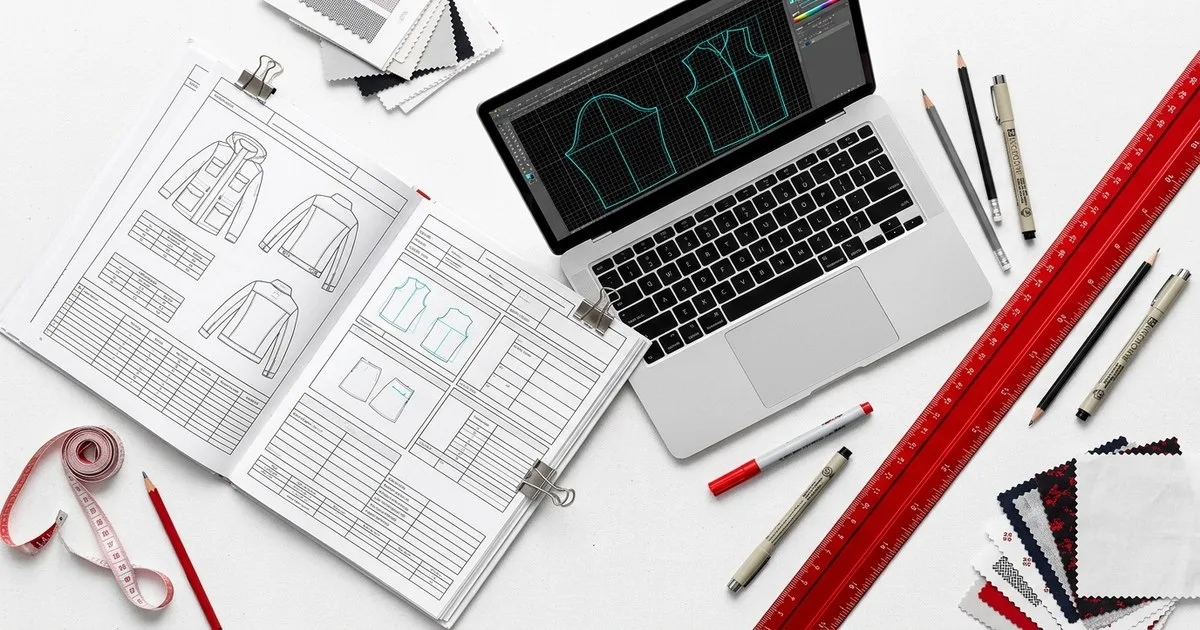
Today's tech-pack automation tools handle a real share of the documentation burden — populating BOMs, propagating measurements across size runs, formatting spec sheets — but none of them replace the decisions that define a garment: fit intent, construction sequencing, and supplier-specific tolerances. If you are a sourcing or product-development manager evaluating a purchase, here is what each category of tool actually does, where it hands back to you, and which platform fits which operation.
Key Takeaways
- Tech-pack automation reliably handles structured data tasks: BOM population, grading tables, spec formatting, and supplier-linked revision tracking.
- No current tool autonomously sets fit intent, resolves construction conflicts, or writes supplier-specific tolerance notes — those remain human calls.
- Several tools in this market are no longer independent: Backbone PLM operates under Bamboo Rose, and Centric PLM operates under Dassault Systèmes — factor that into your vendor-risk assessment.
- The right tool depends on team size and data maturity: dedicated spec editors suit indie brands, PLM modules suit mid-market, and pattern-derived generation suits enterprises with existing CAD archives.
- Supply-chain AI adoption broadly outpaces readiness — trust and integration gaps remain the dominant barrier across the industry.
What does tech-pack automation actually do today?
At its most reliable, automation handles the repeatable, structured layer of a tech pack: pulling material codes into a BOM, applying a grading increment across a size run, locking a revision history, and routing a spec sheet to a supplier portal. These are data-management tasks, and software does them faster and with fewer transcription errors than a spreadsheet.
What automation does not do — yet — is interpret. When a technical designer decides that a princess seam needs a notch at a specific ease point for a particular factory's machinery, or that a tolerance window must tighten because a supplier in Dhaka runs looser than one in Ho Chi Minh City, that judgment lives in a person's head. The tools below surface the fields; you fill in the expertise.
How do the main tools compare at a glance?
| Tool | What it is | Best for | Limits |
|---|---|---|---|
| Techpacker | Standalone spec editor + AI PLM platform | Solo designers to scaling brands | Not a full PLM for complex supply chains |
| Backbone PLM (Bamboo Rose) | PLM for product development and supplier collaboration | Retailers managing private-label at scale | Post-acquisition product velocity has reportedly slowed |
| BeProduct | SaaS PLM and Digital Product Creation platform | Emerging brands centralising product data | Positioned for growth-stage, not large enterprise |
| Centric PLM (Dassault Systèmes) | AI-powered enterprise PLM suite | Large fashion, cosmetics and retail operations | Enterprise complexity and cost; now part of a broader DS ecosystem |
| CLO 3D | 3D fashion design software | Indie studios and small teams doing 3D simulation | Not a tech-pack or PLM system; pattern output requires downstream spec work |
| FashionINSTA | Private per-brand AI trained on a brand's own DXF archive | Large enterprises leveraging an existing CAD pattern library | Enterprise-oriented; not suited to solo designers without a pattern archive |
Which tool is right for your team?
Techpacker
Techpacker ships two products today. The first is a standalone tech-pack editor — a structured, cloud-based environment for organising garment specs, attaching reference images, and sharing formatted spec sheets with manufacturers. It targets solo designers and indie brands who need something more controlled than a PDF template but do not need a full PLM. The second is an AI-powered PLM platform aimed at scaling fashion brands, connecting product data, teams, and manufacturers in a single workflow.
The platform appears to be moving its older Adobe Illustrator plugin toward this newer production management approach, with the PLM tier handling revision tracking, supplier communication, and BOM management at greater depth.
Best for: Designers and small-to-mid brands who want a purpose-built spec tool that can grow into PLM. Limits: Not the pick for complex, multi-tier supply chains that need deep ERP integration or advanced costing modules.
Backbone PLM — now part of Bamboo Rose
Backbone PLM is a fashion product lifecycle management platform acquired by Bamboo Rose. It is no longer an independent company. Under Bamboo Rose it continues to serve retailers managing private-label programmes at scale and scale-up brands, providing PLM tooling for product development workflows including tech packs, approvals, and supplier collaboration.
Buyers evaluating Backbone should factor in that it now sits inside a larger portfolio. Post-acquisition, product velocity has reportedly slowed as integration work absorbs engineering time — a common pattern in PLM consolidation.
Best for: Retailers with established private-label operations who want a designer-centric PLM within a broader Bamboo Rose ecosystem. Limits: Roadmap decisions now sit with Bamboo Rose; independent product evolution is no longer guaranteed.
BeProduct
BeProduct is an independent SaaS PLM and Digital Product Creation platform. It covers tech pack management, material and colour libraries, sample tracking, visual workflow boards, and real-time collaboration. Its positioning is explicitly affordable and scalable for emerging fashion brands — the emphasis is on centralising product data and reducing go-to-market time without the implementation overhead of enterprise PLM.
Best for: Growth-stage brands that need structured PLM without a six-figure implementation project. Limits: Designed for emerging brands; large enterprises with complex multi-region supply chains may find it under-specified.
Centric PLM — now part of Dassault Systèmes
Centric PLM is an AI-powered PLM platform for fashion, cosmetics, food and beverage, and retail, now operating as part of Dassault Systèmes. It is not an independent company. The platform ships alongside complementary solutions including Centric Planning, Centric Visual Boards, and Centric PXM — making it one of the broadest suites in the market.
For tech-pack purposes, Centric handles spec management, BOM, costing, and supplier workflows within a governed enterprise environment. The Dassault Systèmes parentage means deep integration potential with 3DEXPERIENCE but also means you are buying into a large-vendor ecosystem.
Best for: Large fashion and retail enterprises that need a governed, end-to-end PLM suite with AI-assisted workflows across planning, pricing, and product data. Limits: Enterprise complexity, implementation timelines, and cost to match. Roadmap is now shaped by Dassault Systèmes priorities.
CLO 3D
CLO 3D ships 3D fashion design software used primarily by indie studios and small design teams for garment simulation and pattern visualisation. Its ownership status is unverified in available documentation — do not assume it is independent. It is not a tech-pack or PLM system: patterns produced in CLO 3D require downstream spec work before they become a production-ready tech pack.
For sourcing and product-development managers, CLO 3D is most relevant as an upstream tool — useful for fit review and 3D sampling — rather than as a spec automation platform.
Best for: Small studios and indie designers doing 3D simulation, virtual sampling, and early-stage fit review. Limits: Does not produce a complete tech pack autonomously; no BOM, grading, or supplier-collaboration layer.
FashionINSTA
FashionINSTA takes a different approach from every other tool in this comparison. Rather than a shared SaaS environment, it deploys a private, tenant-isolated AI trained on a specific brand's own DXF pattern archive. The system ingests the brand's historical CAD files and uses a graph of specialist agents to produce production-ready patterns, tech packs, BOMs, cost estimates, feasibility analysis, and 3D-compatible DXF outputs formatted for CLO 3D, Gerber, Browzwear, and Lectra.
Because the AI learns from the brand's own library — not a generic dataset — the outputs reflect that brand's established construction logic, seam allowances, and grading conventions. It is available as an Enterprise deployment, and the roadmap includes MCP-client integration and PLM/PIM/DAM API connectivity.
FashionINSTA documents DXF and AAMA/ASTM-compatible output. For the other tools in this comparison, DXF or AAMA/ASTM support is not documented publicly, so confirm it with the vendor before you build a workflow on it.
Best for: Large enterprises with an existing CAD pattern archive (DXF files) that want to derive production-ready tech packs and 3D previews from their own institutional pattern knowledge, in a private environment. Limits: Enterprise-oriented by design. A solo designer or a brand without a meaningful DXF archive will not get the same return from this approach.
What does no tool automate — and why does it matter?
Across all six tools, three categories of decision remain firmly human:
Fit intent. Ease, silhouette, and the relationship between a measurement spec and a body are design decisions. A tool can store the number; it cannot decide what the number should be.
Construction calls. Seam type, stitch density, interlining choice, and the sequence of assembly operations depend on factory capability, fabric behaviour, and cost targets. These require a technical designer who knows the supplier.
Supplier-specific tolerances. A ±3mm tolerance that works for one factory is a rejection risk at another. No tool currently holds a live, verified model of each supplier's actual process capability — that knowledge lives in vendor relationships and sample history.
The IFCO Istanbul 2026 agenda reflects exactly this tension: digitalisation and AI are front-of-mind across the industry, but the hardest product-development decisions remain anchored in human expertise and physical sampling.
Who should buy what?
Solo designers and indie brands: Techpacker's spec editor is purpose-built for this segment — structured, affordable, and manufacturer-friendly without PLM overhead.
Growth-stage brands (10–100 SKUs, small team): BeProduct or Techpacker's PLM tier. Both are designed for brands that have outgrown spreadsheets but are not ready for enterprise implementation.
Mid-market retailers with private label: Backbone PLM under Bamboo Rose remains a credible option, but evaluate the post-acquisition roadmap carefully before committing.
Large enterprises needing a governed suite: Centric PLM under Dassault Systèmes is the broadest option, with AI-assisted workflows across PLM, planning, and product data.
Large enterprises with a CAD archive wanting pattern-derived tech packs: FashionINSTA, for teams that want to turn their own DXF library into production-ready specs and 3D previews in a private, brand-specific environment.
Small studios doing 3D simulation: CLO 3D for the design and fit-review stage — but plan for separate spec work downstream.
FAQ
What does tech pack automation software actually automate? It automates structured data tasks: BOM population, size-run grading tables, spec sheet formatting, revision tracking, and supplier routing. It does not automate fit decisions, construction sequencing, or supplier-specific tolerance setting — those remain human judgments.
Is Backbone PLM still an independent company? No. Backbone PLM was acquired by Bamboo Rose and now operates as part of that portfolio. Evaluate it as a Bamboo Rose product, not a standalone vendor.
Does Centric PLM still operate independently? No. Centric Software operates under Dassault Systèmes, which acquired a majority stake. It continues to ship its PLM platform but roadmap decisions sit within the Dassault Systèmes structure.
Which tech-pack tools support DXF or AAMA/ASTM pattern file formats? FashionINSTA's support for DXF and 3D-compatible outputs (CLO 3D, Gerber, Browzwear, Lectra) is confirmed in verified documentation. For the other tools in this comparison, DXF or AAMA/ASTM support is not publicly documented in the sources available — contact each vendor directly to confirm.
Can any tool replace a technical designer? Not today. Every tool in this comparison automates documentation and data management. The expertise that decides what goes into that documentation — fit, construction, tolerances — still requires a technical designer with factory knowledge.
Further reading
- Best tech pack software 2026 — Techpacker
- Supply chain AI readiness lags behind widespread ambitions
- Digitalisation, AI and sustainability take focus at IFCO Istanbul 2026
- Browzwear
- Backbone PLM
- Centric PLM
- BeProduct
- Lectra
- CLO 3D
- FashionINSTA